
Download ChatFX – Classic iChat Video Effects Plugin, Free & Secure
Introduction & Overview
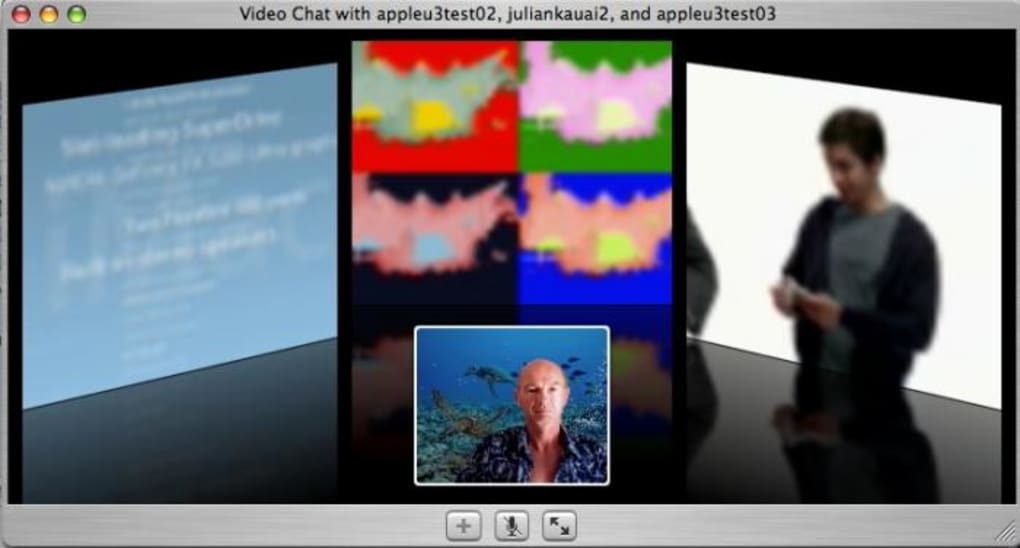
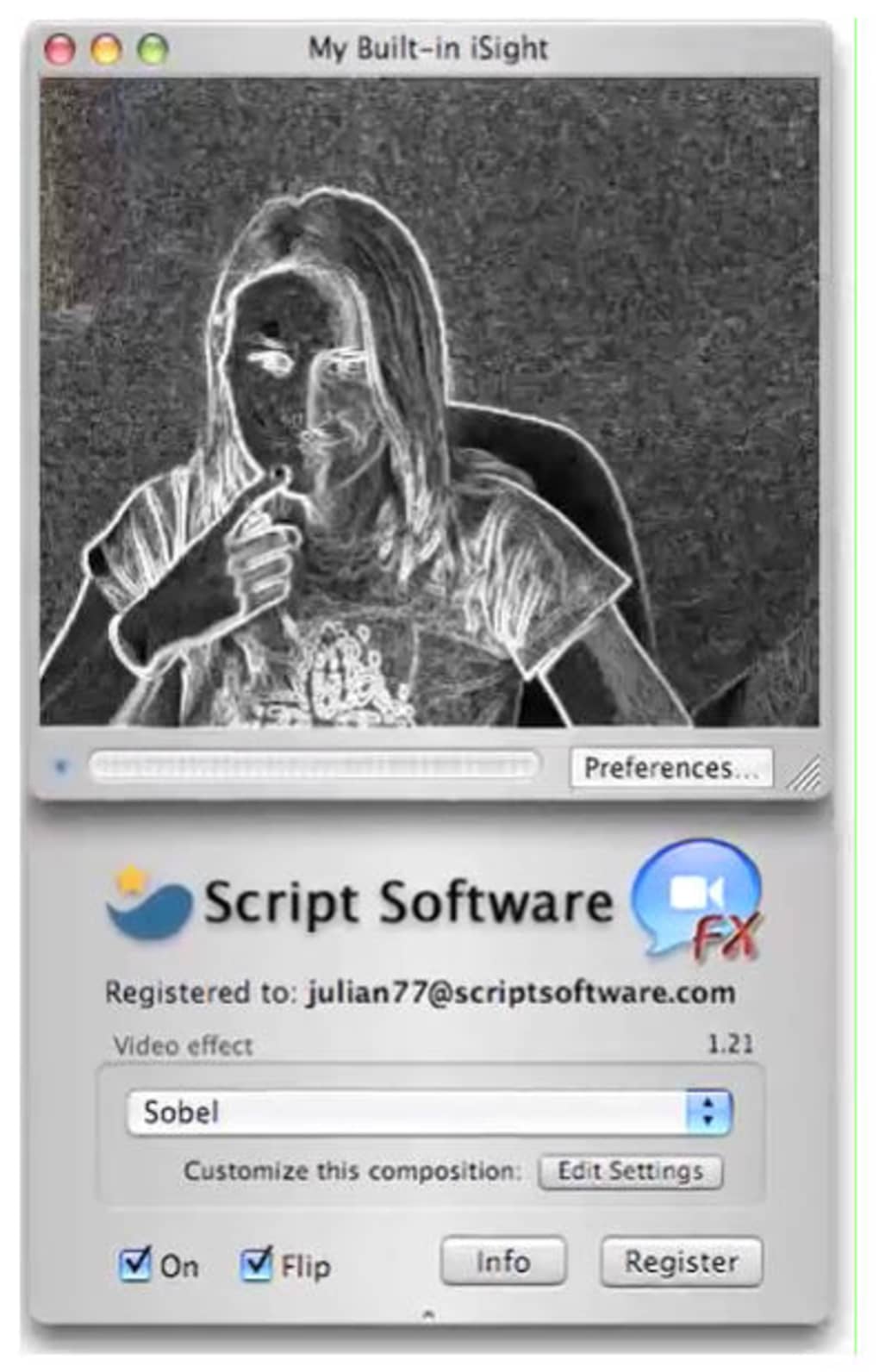
ChatFX is a nostalgic video‑effects plugin that once turned ordinary iChat video calls on early‑era Macs into lively, cartoon‑styled conversations. Designed in the mid‑2000s, the tool delivered real‑time visual filters such as distortion, sepia tones, comic‑strip overlays, and even bluescreen background replacement. While the plugin is no longer supported and modern macOS releases have broken its native compatibility, it remains a beloved piece of software history for Mac enthusiasts who remember the era when personal video chats first embraced playful creativity.
ChatFX’s lightweight footprint, instant‑apply filters, and zero‑cost distribution made it a go‑to accessory for anyone looking to add a dash of personality to a one‑to‑one chat or a small group call. Today, the plugin serves as a reminder of how early video‑chat utilities foreshadowed contemporary features like virtual backgrounds and live filters found in Zoom, Teams, and Google Meet. Though you’ll need an older macOS environment or an emulator to run it, the download is still freely available, and the experience remains as fun as it was a decade ago.
Features, Installation, Usage & Compatibility
Key Features of ChatFX
- Real‑time visual filters: distortion, sepia, comic‑style, and more.
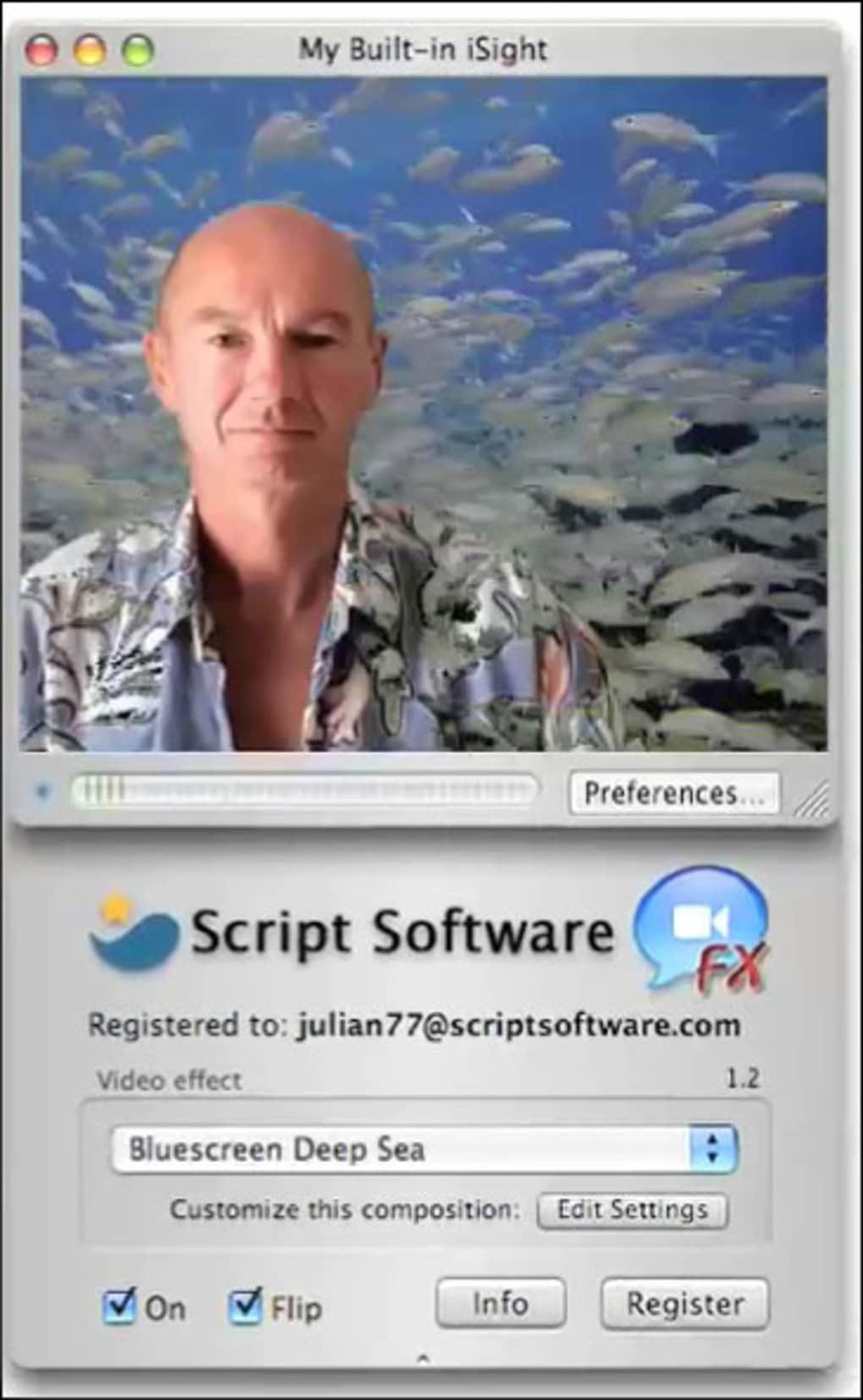
- Bluescreen support for custom background replacement during calls.
- Lightweight architecture – runs smoothly on early‑generation Macs without taxing CPU.
- One‑click activation: select an effect from the iChat toolbar and it applies instantly.
- Free distribution: originally released as a share‑ware utility for personal use.
- Legacy compatibility with iChat 3.x and 4.x on Mac OS X 10.2–10.5.
Step‑by‑Step Installation & Usage Guide
Because ChatFX is a legacy plugin, the installation process differs from modern app stores. Follow these steps to get the plugin up and running on a supported environment:
- Download the installer: Locate the official “ChatFX‑v1.4.dmg” file from a trusted archive site. Verify the SHA‑256 checksum (provided on the download page) to ensure the file is untampered.
- Mount the DMG: Double‑click the .dmg file; macOS will open a virtual disk on your desktop.
- Copy the plugin bundle: Drag the “ChatFX.plugin” file into the
/Library/Internet Plug‑Ins/folder. Administrator privileges may be required. - Restart iChat: Close any running iChat windows, then reopen the application. A new “FX” button should appear in the video call toolbar.
- Select an effect: During a video call, click the FX button and choose from the dropdown menu. Effects are applied instantly and can be switched at any time.
- Optional – Background replacement: If you have a green or blue screen behind you, enable the “Blue‑Screen” option in the plugin’s preferences. Upload a custom background image (PNG or JPEG) and watch it replace your backdrop live.
Compatibility & System Requirements
ChatFX was built for Mac OS X 10.2 (Jaguar) through 10.5 (Leopard) and requires iChat 3.x or 4.x. The plugin relies on PowerPC‑based graphics libraries, meaning it will not run natively on modern Intel‑ or Apple‑silicon Macs without an emulator such as SheepShaver or Rosetta 2 (the latter was discontinued after macOS 10.7). Users attempting to run ChatFX on macOS Catalina, Big Sur, or Monterey will encounter a “kernel panic” or the plugin simply not loading. To experience ChatFX today, you have two practical options:
- Legacy hardware: Use an older Mac (PowerPC G4/G5 or early Intel models) that can still run OS X 10.5.
- Emulation: Install a virtualized OS X 10.5 environment using virtualization tools (e.g., VirtualBox with a legal copy of OS X) and run iChat inside that VM.
Regardless of the method, ensure that your system has at least 512 MB of RAM, 200 MB of free disk space for the plugin, and a functional webcam that iChat can access. The plugin does not require an internet connection after installation, making it a secure, offline‑only tool.
Pros, Cons & Frequently Asked Questions
Pros of ChatFX
- Fun and creative: Adds instant personality to video chats.
- Zero cost: Completely free to download and use.
- Low resource usage: Works smoothly on older hardware.
- Real‑time processing: No noticeable lag when switching effects.
- Open‑source feel: Community still shares patches for modern compatibility.
Cons of ChatFX
- Obsolete platform: Only supports legacy iChat, not Messages or other modern clients.
- Compatibility hurdles: Requires older macOS or emulation to function.
- Lack of official updates: No security patches or bug fixes from the original developer.
- Limited effect library: Compared to today’s AI‑driven filters, the visual options are basic.
- Potential stability issues: Running in emulators can cause occasional crashes.
FAQ – Your ChatFX Questions Answered
Is ChatFX still safe to download?
Yes, as long as you obtain the DMG from a reputable archive that verifies the original checksum. The plugin contains no malicious code; it is simply a video‑filter library for iChat.
Can I use ChatFX with Apple Messages?
No. ChatFX was built exclusively for iChat. Messages uses a completely different framework, and the plugin cannot be loaded there without extensive rewriting.
Do I need an internet connection to run the effects?
No. All visual filters are processed locally on your Mac, so you can use ChatFX offline after the initial download.
Is there a way to export recorded chats with the effects applied?
iChat itself does not provide a built‑in recording feature for filtered video. Users typically capture the screen with QuickTime Player while the effect is active.
Can I customize or add new effects to ChatFX?
The original plugin source was never released, but the community has created unofficial patches that allow custom PNG overlays. Applying them requires editing the plugin bundle’s resource folder.
ChatFX delivers a charming glimpse into early video‑chat creativity. While its practical use today is limited by compatibility, the plugin remains a fun, free, and secure way to relive the whimsical era of iChat. For Mac nostalgia lovers, it’s definitely worth the extra step of setting up an older OS environment.
Conclusion & Call to Action
Even after more than a decade, ChatFX stands out as a pioneering tool that proved video calls could be more than just a static feed—they could be a canvas for expression. If you’re a retro‑tech collector, a developer interested in the evolution of real‑time video filters, or simply someone who enjoys adding a comedic twist to a conversation, downloading ChatFX can be a rewarding experiment. Remember to run the plugin on a compatible macOS version or inside a reliable emulator to avoid crashes. Once installed, you’ll be able to toggle between sepia nostalgia, comic‑book flair, or a custom virtual background with a single click.
Ready to bring back the magic of early‑2000s video chatting? Download ChatFX now from a trusted archive, follow the simple installation steps, and start adding flair to your iChat calls today. For those who need a modern alternative, consider exploring current platforms like Microsoft Teams, Zoom, or Google Meet, which have inherited many of the playful features that ChatFX introduced.
Embrace the past, enjoy the present, and keep the conversation lively—one effect at a time.







